· Ross O'Reilly · How I work · 7 min read
My coding workflow
Developers hand more of the coding to agents and still finish the day exhausted. Here's my current workflow, from an empty GitHub repo and a scratchpad to small agent iterations, and my ongoing journey to find flow.
October 2026 · a work in progress
It’s early October 2026, and I’ve noticed a recurring theme on tech X. On the one hand, developers seem to be more productive by handing off some, and in some cases all, of their coding tasks. Some veteran developers have even said they no longer look at the code at all. Yet on the other hand, they finish the day feeling exhausted.
There’s some speculation as to why. Some suggest it’s because the agent now does most of the head-wracking work, the really cognitive work. That’s the work where, if you can enter a flow state, you get a sort of nirvanic feeling (not sure that’s a word). Instead the developer is left typing a vague prompt, awaiting a response (either a plan or some guidance), clicking approve, giving some more vague feedback, and then watching the agent grind away until it presents a pull request with a pretty detailed merge commit. And so the cycle repeats itself.
What I’ve also taken away from this process is that very rarely does one get broken code. So the journey through debugging frustration, and the joy on the other side of it, is no longer something a developer can look forward to.
The coding game has genuinely changed forever. And that’s OK. It will take some longer to adjust than others, and some might never recover, and that’s OK too. There’s a lot the world has to offer other than sitting at an nvim terminal, using sed and grep by hand to tease out where subtle bugs lie in the codebase, or heck, just centering a div. It’s all gone, replaced by agentic dashboards like Claude Code, Devin, Codex, GitHub Copilot and Pi. (I wrote more about that shift in The IDE is becoming a control room.)
So I’d like to present my current workflow, and my journey to find flow. Funnily enough, that journey started years before this agentic AI revolution, and I continue on it now, albeit with redefined constraints and working practices.
So here goes.
start in the repo
Firstly, I work predominantly in a browser. My bootstrap sequence for starting a project or app is:
- Create a new GitHub repo and leave it empty.
- Add a file through the browser. Usually this is a very basic
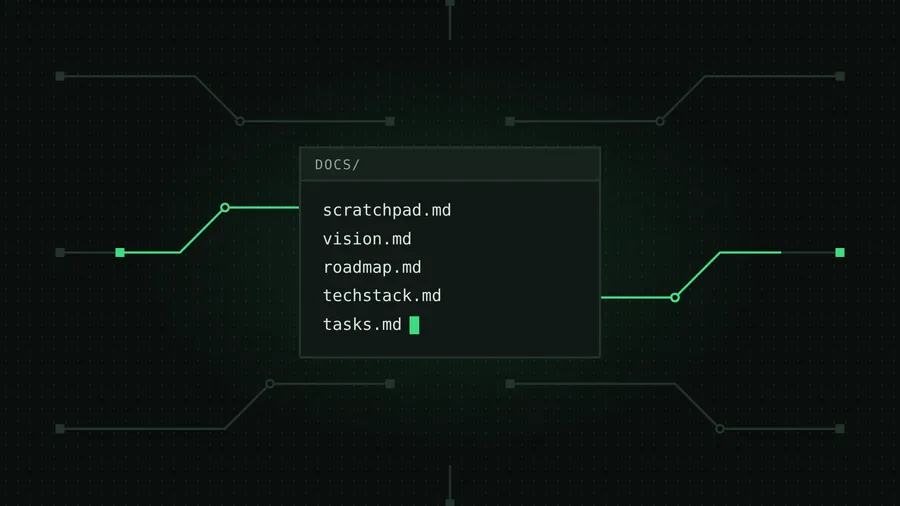
scratchpad.mdwith a rough, back-of-the-napkin description of what I’m trying to create. - Commit.
Some may think it odd to start straight away in a GitHub repo, but I find that context switching back and forth between a coding agent terminal or chat window and a repo goes against the idea of staying in flow. And my goal is to keep refining my workflow on my journey to find flow.
This core file forms the nucleus of the whole array of other files that come together to inform the context window during the build. It doesn’t matter what I’m building, a backend cron job, a web server, an email client, a web app, React Native, whatever. The process is independent of the language, frameworks, APIs or MCP services I use.
hand it to the agent
After that commit I jump to my coding terminal. Again, my default is the browser: I use Claude Code on the web, with my account linked to my GitHub repositories, which forms a nice natural extension of my workspace into the cloud.
I select the repository and choose a model, usually Opus 5.5 or Sonnet 5.5 (medium effort is sufficient). Then I ask the coding agent to build out a CLAUDE.md file and a docs folder:
CLAUDE.md
docs/
  vision.md      what the app is, and why
  roadmap.md     the features from scratchpad.md, as Task 2, Task 3 …
  techstack.md   the stack I want, not the stack the model defaults to
  tasks.md       the bootstrapping stage only
The techstack.md file is super important, because Claude and the others have really strong opinions about their default stack, based on their training data.
The tasks.md file covers just the bootstrapping stage. Any other features already described in scratchpad.md get appended to the roadmap as Task 2, Task 3 and so on, where I can pull them out and work on them iteratively.
a short segue: why so iterative
This is a good moment to step away from the process and give some clarity on my approach.
What I’ve noticed is that the frontier models are really good these days at long-running, multi-turn coding tasks. Whatever you ask them to build, they will confidently produce something, and in almost all cases it’s something you didn’t think you wanted. It could look flashy, or have some crazy functionality, but is it meeting the brief?
I’d argue it might get you to an MVP, but it’s highly unlikely to get you all the way to production-grade software people would be willing to pay for. Hence the iterative approach:
- the work is broken down into granular tasks
- I inspect the work at each step of the way
- I readjust in tiny increments to get to the desired MVP
And much later, that’s how it gets to a production-grade, reliable piece of software. (The reliability side of that loop is its own post: I stopped writing every line of code.)
lock in the style early
After round one, having merged the pull request Claude created, I usually have a reasonable set of files to guide the agentic iterative development (AID)™. Just kidding, but seriously, is anyone using this term yet?
If it’s a web app, I also run a style guide skill I set up. Check out my prompt for that, Style_Generation.prompt. I pick one of the styles I think fits the theming and ask it to expand on that number. Then I copy those instructions into a styles.md file in the docs folder to guide the coding agent on future iterations of the styling. Here’s a taste of one, a style called Signal Ground:
BUILD BRIEF: Signal Ground

MOOD
- Feels: precise, technical, low-lit. References: PCB silkscreen,
  a well-configured terminal multiplexer.
- Must not feel: hacker-movie, matrix rain, gamer RGB.
- Voice for headings and microcopy: terse, lowercase-leaning,
  command-like ("run it", "read the docs").

COLOR (token: light / dark), dark is the default mode
background: #F3F6F2 / #0A0F0D
accent:     #0B6B3A / #3DDC84

IMAGERY (SVG)
- Motif: circuit traces running between pads and vias.
- Orthogonal and 45° polylines only, one signal path per
  illustration in accent.
It goes on to cover typography, shape, elements, motion and contrast checks. (It’s also the style this post’s cover and headings are wearing.)
It’s important this step happens early on, otherwise you end up fighting the model’s interpretation of, and assumptions about, what it thinks it should produce. And remember, it has no feelings, so it confidently builds and thinks it’s doing the right thing (always).
loop small
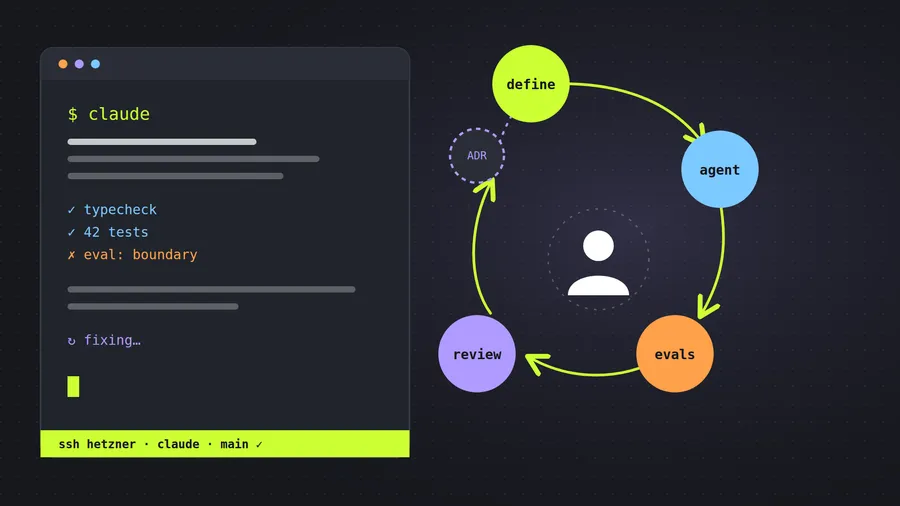
From there on out, it’s multiple small iterations of the same loop. I have a few workflow-specific tricks I’m using, and as I’ve said before, this is a work in progress on my journey to find flow in the world of AID.
offload thoughts fast
I use a self-built notes repo that I can quickly switch to and offload any thoughts that pop into my head.
don’t scroll, don’t stare
After hitting the go button in Claude Code, I find there are two default modes I can easily get caught up in, and I try not to:
- Switching to a news, X or Gmail tab and mindlessly scrolling for something to entertain or distract me, in a very shallow way. I’m a strong opponent of multitasking. It’s a very inefficient way of living. It has its place in the household, and maybe in some business admin, but I find it totally inappropriate in a coding session.
- Staring at the tasks the coding agent is running through, waiting in anticipation for the result.
Instead I opt for an immediate switch to one of two things:
- A short-form article on a topic I’m trying to grok, which I read from start to finish before returning to check on the coding agent. It’s sort of my built-in pomodoro timer, except it lasts as long as it takes to read the article.
- The scratchpad. I continue revising and refactoring the next features the app will need, often jumping out into a new chat window with Claude, ChatGPT or Perplexity to question what the feasible route forward might be.
that’s it for now
I’m deeply excited about this space. It’s an exciting time to be coding again, albeit under very different rules.

Power to the agent.